Posts

Showing posts with the label Pygame

Minigame Monday: Round And Round

Image
  Round And Round: The concept: Another shorter minigame this time, as I'm working on another game jam game, expect to see that in a couple of weeks. I felt like making a racing game in python for this one. As I was making the game, I thought it would be cool if the player could draw their own maps.  The challenge: The first challenge I faced was getting movement for the car that felt responsive and fun to play. Getting the car moving wasn't too difficult; just a matter of adding functions to the arrow keys to control the car. For the left and right arrows, this would change a rotation value stored in the car class. I used a momentum variable to store the movment of the car; as it turned out, this didn't end up being too different from its speed in the rotation direction, but theoretically you could make these values differ to allow the car to drift or spin out of control. For accelerating and breaking, I used some basic trigonometry to properly effect the momentum in the d...
Minigame Monday: Node Problem

Image
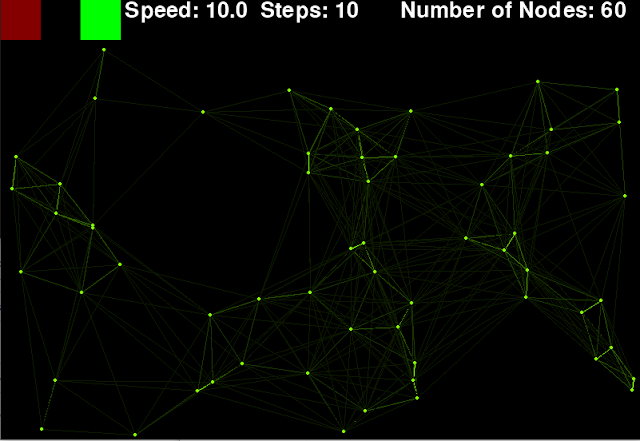
  Node Problem The concept: Back to Python for this one; I saw something I thought was pretty cool looking in the header for a website, so I decided to remake it and expand on it. The concept is a series of dots, moving randomly, that form lines between them as they approach each other, with the strength of the line increasing as they get closer. This creates a very cool looking effect, with shapes forming and vanishing as the nodes move past one another. This minigame therefore is less of a game, and more of a digital toy. The challenge: I decided that the best way to do this was to have a seperate class for the nodes, so each instance of a node would store the nodes position, speed and direction. It would also have a function to move the node, using a bit of trigonometry to calculate the correct position to move to: self . pos = ( math . sin ( self . rot ) * self . speed + self . pos [ 0 ],                  math . cos ( self . r...

Minigame Monday: Keeping On

Image
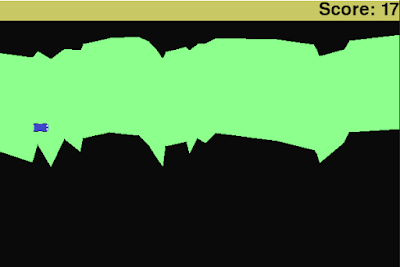
  Keeping On: The concept: This was a minigame that evolved quite a lot as I made it. I started with the idea of some sort of autoscrolling survival game, where the terrain for the player moved from right to left and the player's goal was simply to live as long as possible. The details of how this were going to work I wasn't sure about however, and so I started with my main goal, getting randomly generated terrain to scroll towards the player and doing so in a configurable way. The challenge:  Drawing the road was an interesting challenge; I've previously done similar random generation based on applying a random change to the current height, but doing that here efficiently is something that would take a bit more thinking. Doing this on a pixel by pixel level would obviously involve a lot of storage (one variable for every pixel in the width of the screen), so I wanted to do this more efficiently. I also had the scrolling aspect to consider. To solve this, I had a list of lo...

Minigame Monday: Aim of the Game

Image
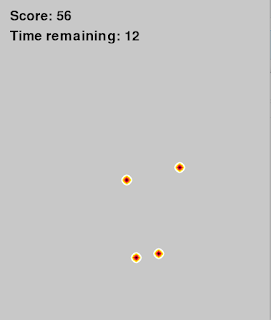
  Aim of the game: The concept: Apologies for the late post on this one (this being the game I made on the 28th). The reason for that (and why this was a smaller minigame) is because I was taking part in a big gamejam project due later that week, so expect a post about that soon. That being the case, I decided to go for an aim trainer type game, where the player has to click targets as accurately as possible.  The challenge: The biggest issue for making this game was making sure that the hitboxes of the targets were correct and so every click would be correctly registered. Most of the hitboxes I've used previously have been just that: boxes, whereas the targets are circular. I first considered doing circular checking within pygame, but soon arrived on a better solution to avoid tricky mathematics. Instead of scoring based on hit boxes, I'd score based on what colour the player clicks on. This meant that rather than having to calculate hitboxes I could simply define colours and...

Minigame Monday: Asteroid Universe

Image
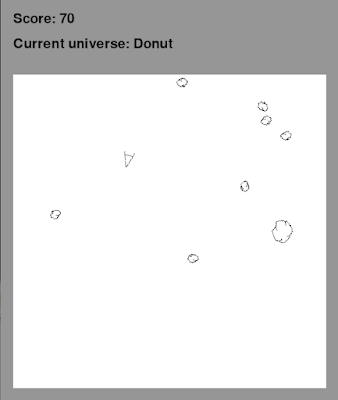
  Asteroid Universe: The Concept: Do you know what shape the universe in the game asteroids is? I found out when I was younger by watching the Royal Institution Christmas Lectures that it's actually a donut. If you project the game onto a donut, you'll find that if you go off the top, you come back on the bottom, and if you go off the side you'll come back on the other side, just like the game. But what if the game universe was a different shape? This week's minigame experiments with that, allowing you to change the shape of the universe as you play. The Challenge: So to change the shape of the asteroid universe, first I needed to recreate the game. I started with the ship physics. Controlling rotation was simple, drawing the rotated image less so. The issue with rotating the image is that pygame images are by default positioned at their top left, so if you rotate them, they rotate around that, rather than around their center. This needs to be accounted for when rotatin...

Minigame Monday: A Shade Different

Image
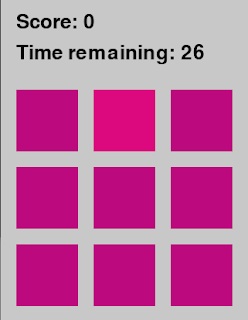
  A Shade Different: The Concept: This was actually an idea suggested by my sister, after seeing the concept on TikTok.  You are shown a number of blocks of colour, one of which is slightly different, and you have to click the different one. Simple, right? This was a slightly quicker minigame, as I'm also working with a team for Game Off 2020, so look forward to that at the end of the month. Ironically, given the title, it's also very similar to Moles in Holes in terms of mechanics; the player's goal is to click on the right area of the screen. However, in this game rather than testing the player's reactions, it's testing their ability to see colour. The Challenge: As this game is mechanically similar to Moles in Holes, I was able to treat it as an exercise in adapting and repurposing code. One nice thing about doing this is it gives you a chance to review and check your previous code. One small thing I noticed was about the ordering of functions. In python you can ...

Moles in Holes

Image
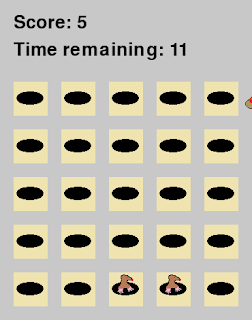
  Moles in holes: The concept: I wanted to make a minigame with a little more polish this time, so I decided to make a configurable wack-a-mole game. The game itself is pretty standard: Click on a mole, it goes away and you get a point. Missclick, and you lose a point.  The challenge: I wanted to put some effort into making sure the code was super clean. One way in which I did this was using helper functions to avoid duplicating long statements. For example:     def GameCoordToScreenX ( self , x ):         return ( x * self . hole . get_size ()[ 0 ] + ( x + 1 ) * XSPACING )     def GameCoordToScreenY ( self , y ):         return ( y * self . hole . get_size ()[ 1 ] + ( y + 1 ) * YSPACING + TOPBAR )     def GameCoordToScreenPos ( self , pos ):         return ( self . GameCoordToScreenX ( pos [ 0 ]), self . GameCoordToScreenY ( pos [ 1 ])) These functions allowed me to avoid hard...

Minigame Monday: Cryptic

Image
  Cryptic: The concept: This time, I wanted to make a game that flexed my creative muscles a bit more, even if that meant having a slightly lower coding intensity. I decided to make a text-based puzzle adventure, where you have to type an answer to a situation, with clues contained in the text, and also in simple pictures. As well as each individual prompt having a solution, I wanted it so that the final question (minor spoilers I guess :P) involved all of the previous parts, so required a bit of memory, or noticing the connection as you went along.  The challenge: Coding wise, this wasn't too complicated, but that doesn't mean there weren't chances to be efficient. I did this by seperating the game into two python files, a framework and a level manager. That way, the framework could handle input and drawing the screen, while the bulky text was seperated in a different class. One issue I did encounter was that of word-wrap, so long strings of text would move onto the next l...

Minigame Monday: Pong of War

Image
  Pong of war: The concept: Seeing as I was working on a game for the Roguelike Monthly Jam, I went for a simpler minigame this time (That's also why I didn't get this post out earlier in the week, sorry about that. Expect a post about the game jam game soon!). I decided I could reuse some of the code from Break-in and make a pong game. The twist I decided on was that there would be a third paddle, in the center of the screen, that both players have control over. So if one player moves up, and the other down, it doesn't move, but if both hold up it moves up at twice the speed and so on. (Hence Pong of war; like tug of war, get it?) The challenge: Ball physics and rough bouncing physics I could take from Break-in, but one thing I needed to add was the ability to change the angle of the ball. To do this, I took the location of the impact along the length of the paddle as a ratio, and then used that to adapt the speed accordingly. The AI for the other player simply follows the...

Minigame Monday: Break-In

Image
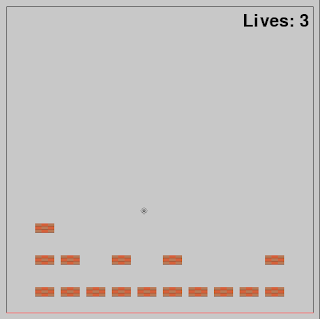
  Break-In: The concept:     This time I made a twist on the classic game breakout. Rather than controlling a paddle to hit blocks with the ball at the top of the screen, instead you would control the blocks themselves at the bottom of the screen. As before, if the ball gets past the blocks, you would lose (or as I later decided was fairer, lose a life). Again because of needing a simple graphical interface, I chose Python and pygame. The challenge: The complexity of this minigame comes from implementing the physics of the ball. As is quite common, I decided to calculate positions in line with draw calls, so every loop the input would be handled once, the movement of the ball would be updated once, and the screen would be drawn once. I decided that the ball at the start should be moving with a set speed, but in a random direction, so I added a bit of Pythagoras to allow this to be a settable parameter in the code. The details of the ball can be given by two tuples (for pe...

Introducing: Minigame Monday! (3D Minesweeper)

Image
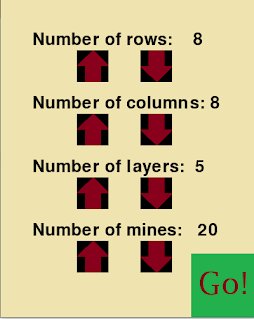
Minigame Monday:      To make sure I keep producing code, games and therefore blog posts, I'm aiming to create a small game every week on Monday (although it might not make it on to the blog the same day). These games will obviously be pretty simple; so far I'm thinking of making some twists on classic games, but that will probably vary. With regards to engine/language, I imagine many of them will be made using Python and pygame ( https://www.pygame.org/ ) due to its simplicity; it makes it quick to get something running on the screen. I'll release the game on itch.io and the code on github (see the links on the sidebar) with each blog post, so you're welcome to try the games yourself and look at how they were put together. Don't expect amazing graphics or intricate detail, but each game should be perfectly playable and hopefully pretty fun! This week: 3D Minesweeper The concept:      The idea is pretty simple: In a normal game of minesweeper, the numb...